
Text messaging has evolved dramatically over the years. From simple SMS messages with strict character limits to multimedia chats filled with images, videos, reactions, and typing indicators, communication has become faster and more interactive. One technology leading this evolution is RCS texting.
If you recently noticed messages labeled “RCS,” or your Android phone asked you to enable “RCS chats,” you may be wondering what it actually means. Many smartphone users are confused about the difference between SMS, MMS, iMessage, and RCS.
RCS is designed to upgrade traditional texting by adding modern messaging features similar to apps like WhatsApp, Telegram, Facebook Messenger, and iMessage.
What Does RCS Text Mean?
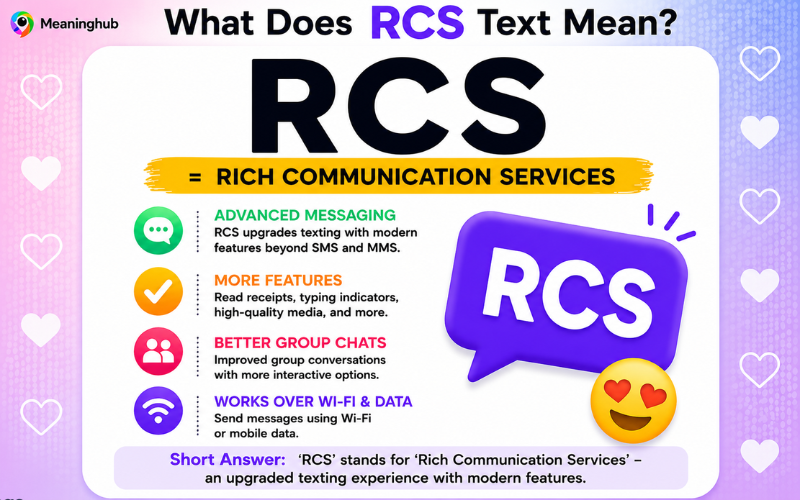
RCS stands for “Rich Communication Services,” an advanced messaging technology that upgrades traditional SMS texting with features like read receipts, typing indicators, high-quality media sharing, Wi-Fi messaging, and group chats.
What Is RCS Texting?
RCS is a communication protocol created to replace outdated SMS and MMS messaging systems.
Unlike traditional text messaging, RCS allows users to:
- Send high-quality photos and videos
- See typing indicators
- Receive read receipts
- Use advanced group chats
- Send messages over Wi-Fi
- Share files more easily
It essentially transforms regular texting into a modern chat experience.
Quick Overview of RCS
| Feature | SMS | MMS | RCS |
|---|---|---|---|
| Character limit | Yes | Yes | No practical limit |
| Read receipts | No | No | Yes |
| Typing indicators | No | No | Yes |
| High-quality media | No | Limited | Yes |
| Wi-Fi messaging | No | No | Yes |
| Group chat improvements | Basic | Limited | Advanced |
What Does RCS Stand For?
RCS stands for:
Rich Communication Services
The word “rich” refers to enhanced messaging features beyond basic text messages.
Why Was RCS Created?
SMS technology is very old. It was introduced in the 1990s and lacks many modern features people now expect from messaging apps.
Problems with SMS include:
- Poor image quality
- No typing indicators
- No read receipts
- Limited group chats
- No internet-based messaging
- Short character limits
RCS was created to modernize texting without requiring a separate app like WhatsApp.
How RCS Works
RCS works through:
- Mobile data
- Wi-Fi
- Carrier-supported servers
Unlike SMS, which uses cellular text networks, RCS relies on internet connectivity.
This allows it to support advanced messaging features.
Main Features of RCS Texting
Read Receipts
You can see when someone reads your message.
Typing Indicators
You can see when someone is typing.
High-Quality Media
Photos and videos are sent with better quality.
Better Group Chats
Group conversations are more interactive and organized.
Wi-Fi Messaging
Messages can send over Wi-Fi instead of cellular service.
File Sharing
You can send larger files than traditional SMS allows.
Related Post: WYD Meaning in Text: Complete Guide
How RCS Looks on Android Phones
On Android devices, RCS usually appears as:
- “Chat features”
- “RCS chats”
- “Google Messages”
When enabled, messages often show:
- “Delivered”
- “Read”
- Typing bubbles
These features resemble iMessage or WhatsApp.
RCS vs SMS
| Feature | RCS | SMS |
|---|---|---|
| Uses internet | Yes | No |
| Supports typing indicators | Yes | No |
| Read receipts | Yes | No |
| High-quality media | Yes | Poor quality |
| Encryption | Sometimes | No |
| Modern chat experience | Yes | Basic |
RCS vs MMS
MMS improved upon SMS by allowing pictures and videos, but it still has many limitations.
RCS offers:
- Better media quality
- Faster delivery
- Improved group chats
- Interactive messaging
RCS vs iMessage
Many people compare RCS to Apple’s iMessage.
| Feature | RCS | iMessage |
|---|---|---|
| Available on Android | Yes | No |
| Internet-based | Yes | Yes |
| Read receipts | Yes | Yes |
| Typing indicators | Yes | Yes |
| Encryption | Partial | Full |
| Cross-platform potential | Yes | Limited |
RCS is often described as Android’s answer to iMessage.
Does RCS Work on iPhone?
Traditionally, RCS has mainly been supported on Android devices.
However, Apple has announced support for RCS in newer iPhone systems, which is expected to improve communication between Android and iPhone users.
This could reduce issues like:
- Poor-quality videos
- Broken group chats
- Messaging incompatibilities
How to Enable RCS on Android
Most Android users can enable RCS through Google Messages.
Steps:
- Open Google Messages
- Tap profile/settings
- Select “Chat Features”
- Enable RCS chats
Your carrier and device must support RCS.
What Happens If RCS Is Disabled?
If RCS is unavailable, messages usually fall back to:
- SMS
- MMS
This means advanced features disappear.
Is RCS Free?
RCS messaging typically uses:
- Mobile data
- Wi-Fi
It does not usually charge per text message like older SMS plans.
However, standard data charges may apply.
Is RCS Safe?
RCS is generally safe, but security depends on the platform and provider.
Some RCS implementations support:
- End-to-end encryption
Others may not.
Google Messages now supports encrypted RCS chats in many situations.
Benefits of RCS Texting
| Benefit | Explanation |
|---|---|
| Modern features | Similar to messaging apps |
| Better media quality | Clearer photos and videos |
| Interactive chats | Typing indicators and reactions |
| Wi-Fi support | Messages work without cellular text service |
| Improved group messaging | More organized conversations |
Drawbacks of RCS
| Drawback | Explanation |
|---|---|
| Limited compatibility | Not all devices support it |
| Carrier dependence | Some networks lag behind |
| Inconsistent encryption | Security varies |
| Internet required | Needs Wi-Fi or data |
Why Android Users Prefer RCS
Android users often prefer RCS because it:
- Improves texting significantly
- Feels more modern
- Eliminates SMS limitations
- Works inside the default messaging app
Why RCS Matters
RCS matters because it modernizes texting without requiring everyone to install separate apps.
It bridges the gap between:
- Traditional texting
- Modern messaging platforms
What Happens When Both Users Have RCS?
When both users have RCS enabled:
- Messages send over the internet
- Read receipts appear
- Typing indicators work
- Media quality improves
This creates a richer messaging experience.
What Happens If One Person Doesn’t Have RCS?
If one person lacks RCS:
- Messages revert to SMS or MMS
- Advanced features disappear
RCS in Group Chats
RCS dramatically improves group conversations.
Features include:
- Better organization
- Reactions
- Typing indicators
- High-quality shared media
Why RCS Is Important for Android
For years, Android texting lagged behind iMessage.
RCS helps Android compete by offering:
- Modern messaging tools
- Better media support
- More interactive communication
RCS and Google Messages
Google has heavily promoted RCS through its Google Messages app.
Many Android phones now use Google Messages as the default texting app.
Common RCS Features Explained
Typing Indicators
Shows when someone is actively typing.
Read Receipts
Confirms when your message has been opened.
Reactions
Lets users react to messages with emojis.
Better Media
Photos and videos remain clearer.
Does RCS Replace WhatsApp?
Not entirely.
WhatsApp still offers:
- Stronger encryption
- Cross-platform dominance
- International popularity
However, RCS reduces the need for third-party messaging apps.
Why Some People Don’t Use RCS
Reasons include:
- Unsupported devices
- Carrier limitations
- Preference for apps like WhatsApp
- Privacy concerns
Can You Turn Off RCS?
Yes.
You can disable RCS anytime through your messaging app settings.
Is RCS the Future of Text Messaging?
Many experts believe RCS represents the future of mobile texting because it combines:
- Traditional messaging simplicity
- Modern messaging functionality
RCS and Business Messaging
Businesses use RCS for:
- Customer support
- Appointment reminders
- Interactive marketing
- Purchase confirmations
RCS business messages can include:
- Buttons
- Images
- Interactive elements
Does RCS Use Phone Numbers?
Yes.
Unlike some messaging apps, RCS still works through your phone number.
Common Problems With RCS
Some users experience:
- Setup failures
- Message delays
- Compatibility issues
- Carrier restrictions
Most issues can be fixed through updates or settings changes.
How to Know If RCS Is Active
You may notice:
- “Chat message” instead of “Text message”
- Typing indicators
- Read receipts
- Better image quality
RCS vs Traditional Messaging Apps
| Platform | Uses Phone Number | Internet-Based | App Required |
|---|---|---|---|
| SMS | Yes | No | No |
| RCS | Yes | Yes | Usually built-in |
| Yes | Yes | Yes | |
| Telegram | Optional | Yes | Yes |
RCS and International Messaging
RCS can make international messaging easier because it uses internet connectivity instead of traditional SMS charges.
Frequently Asked Questions (FAQs)
What does RCS text mean?
RCS stands for Rich Communication Services, an advanced form of texting.
Is RCS better than SMS?
Yes, RCS offers more modern messaging features.
Does RCS cost money?
It usually uses data or Wi-Fi rather than SMS charges.
Can iPhones use RCS?
Apple has started adding support for RCS.
Is RCS safe?
It can be secure, especially with encrypted chats.
Do both people need RCS?
Yes, advanced features work best when both users have RCS enabled.
Can I turn off RCS?
Yes, it can be disabled in messaging settings.
Conclusion
RCS texting is a major upgrade from traditional SMS and MMS messaging. Standing for Rich Communication Services, RCS brings modern features like read receipts, typing indicators, Wi-Fi messaging, high-quality media sharing, and advanced group chats directly into standard texting apps. It helps create a messaging experience similar to WhatsApp or iMessage while still using your phone number. As smartphone communication continues evolving, RCS is becoming increasingly important for Android users and cross-platform messaging. Understanding what RCS text means helps you use modern texting features more effectively and stay connected with today’s digital communication trends.
